You are already doing more right than you think
At some point, most business owners ask themselves:
- “Is this enough?”
- “I have probably missed too much.”
- “Shouldn't I be keeping the books properly, like everyone else?”
That is when a ledger starts to feel heavy again. This is not a guide to the perfect ledger. It is a guide to a good-enough ledger that you can keep using.

1. What stops a ledger is not missing information. It is a standard set too high.
People rarely stop because they missed one entry. More often, they stop because they look at the records they have already made and decide they are not enough.
Maybe you are recording sales. Maybe you are adding purchases when you remember. Maybe you can already see the rough direction of the week. The moment you tell yourself that it does not count unless every detail is perfect, it becomes easy to stop. A ledger is not a document you finish once. It is a running record of your business.
2. A good-enough ledger starts with sales, purchases, and dates
For a first practical standard in Salesdocks, keep it simple:
- Record sales so they do not disappear from memory.
- Keep purchases in the same app.
- Keep transaction dates connected so you can follow what happened and when.
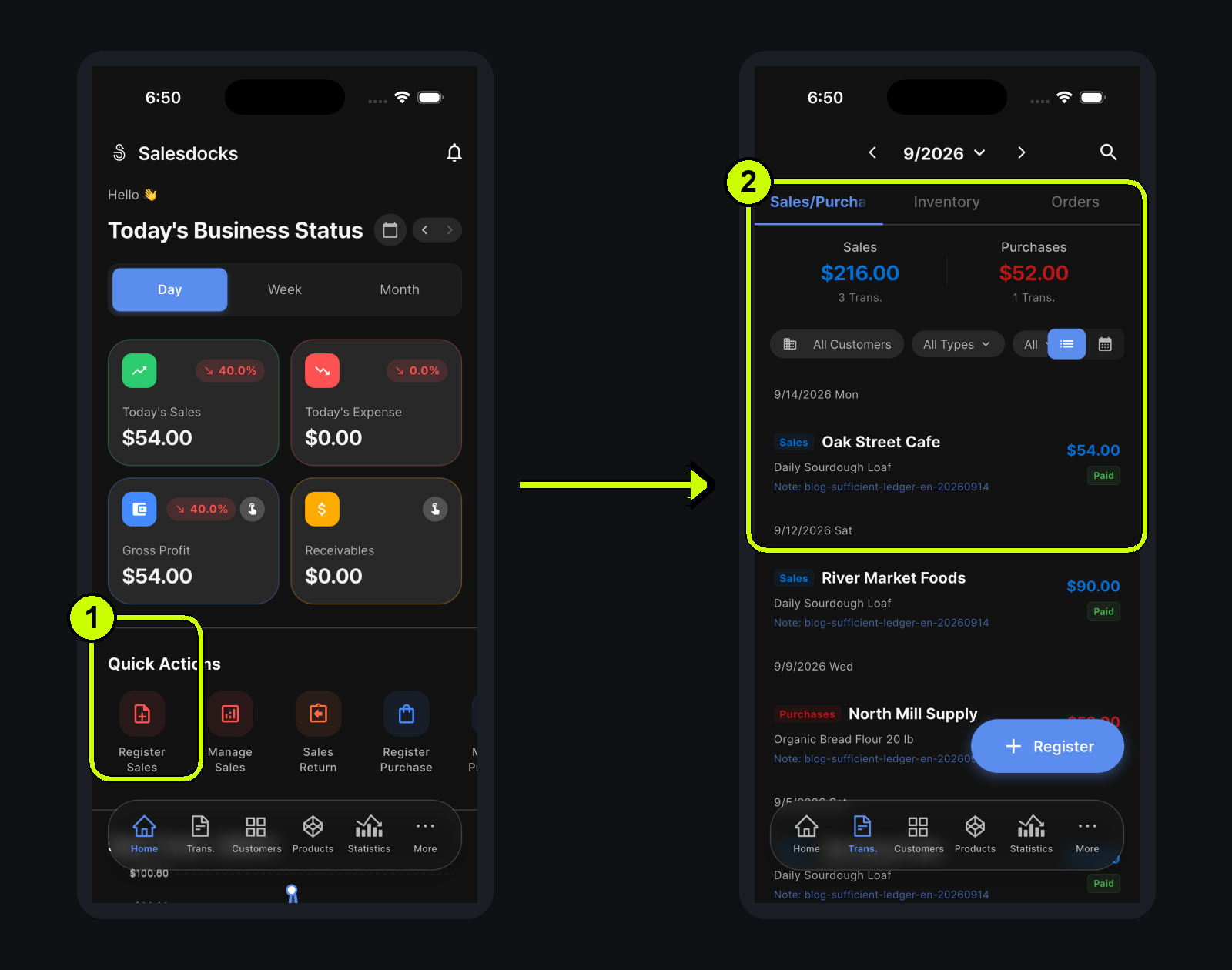
With those three things in place, you do not have to remember sales in one place and expenses somewhere else. In the example below, sales and purchases appear together in date order, so the month starts to make sense at a glance.
3. A missed day is not a failed ledger
“I did not record anything yesterday” can make it hard to start again. But a ledger is not an attendance sheet. If a day is empty, record the next transaction when it happens.
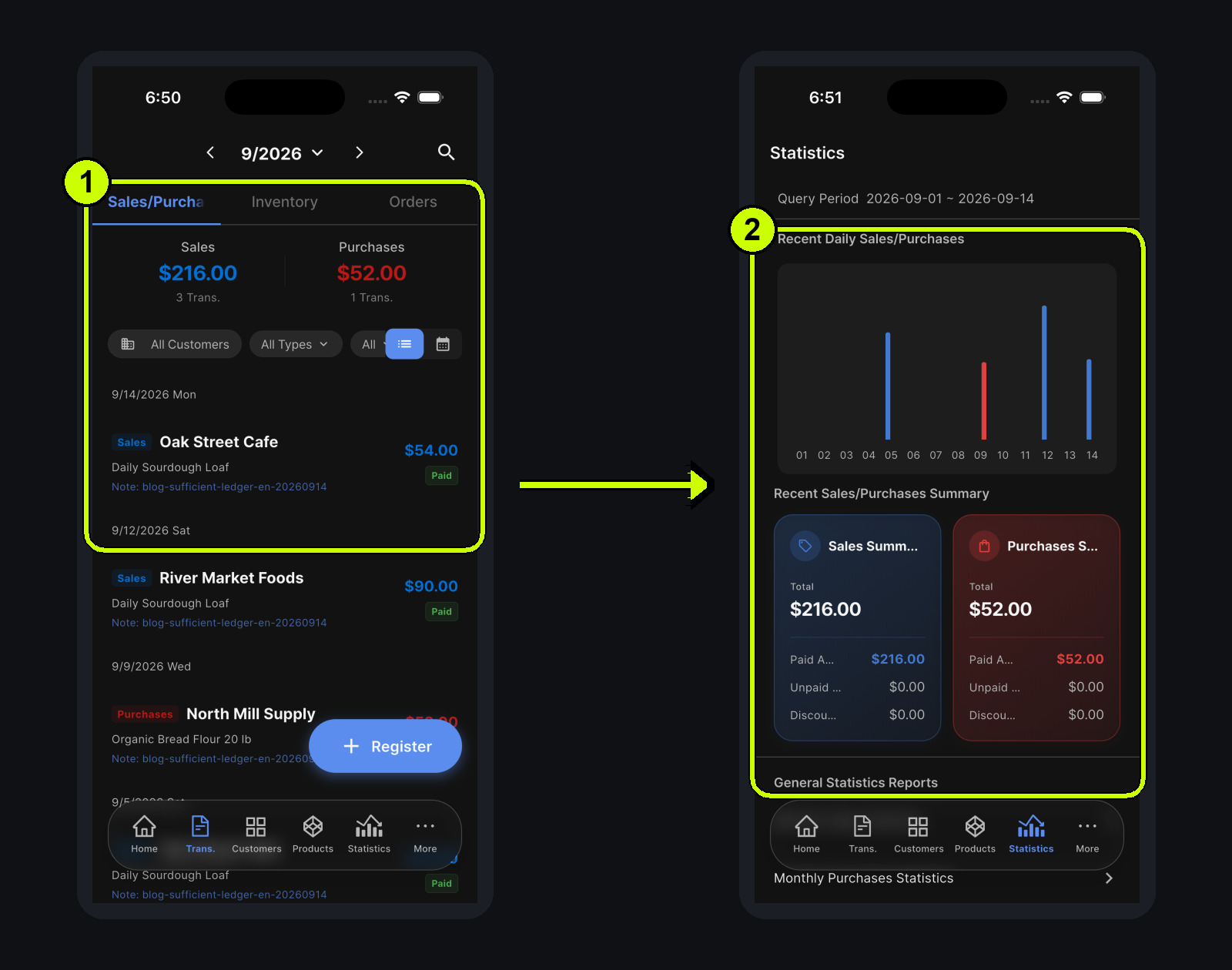
In this example, entries appear on September 14, 12, 9, and 5. There are gaps between them, but the remaining records still show the direction of sales and purchases. If you find a missed transaction later, add it on the correct date. If you do not, continue from the next real transaction rather than abandoning the whole habit.
The daily chart shows both recorded and empty days. An empty day is not a failure; it is simply a cue to make the next entry.
4. Accuracy improves as the habit continues
Amounts and payment status should reflect what really happened whenever possible. But that does not mean every detail needs to be resolved before you record anything.
If you later find a card fee or a purchase you missed, you can correct or add it then. First capture the main flow of sales and purchases; refine the details when you need them. Accuracy grows with the habit of recording. During a busy shift, recording one sale is already a useful step.

5. A ledger is for checking in, not controlling everything
The purpose of a good-enough ledger is not to control every number. It is to check whether the business is on track, where costs are growing, and what might need to change next.
That means statistics do not have to become another daily chore. Build up sales and purchases, then look at a wider period when you have a question. The ledger becomes a lighter way to make the next decision.
Taking a short look at the statistics before closing is part of the same rhythm. You are not trying to make the day perfect. You are checking whether today's small records are becoming a useful weekly view.

6. The Salesdocks “stop here for now” standard
At the start, this is enough:
- If you made a sale, record one sale.
- If you bought stock or a service, record one purchase.
- Check the trends only when you need to.
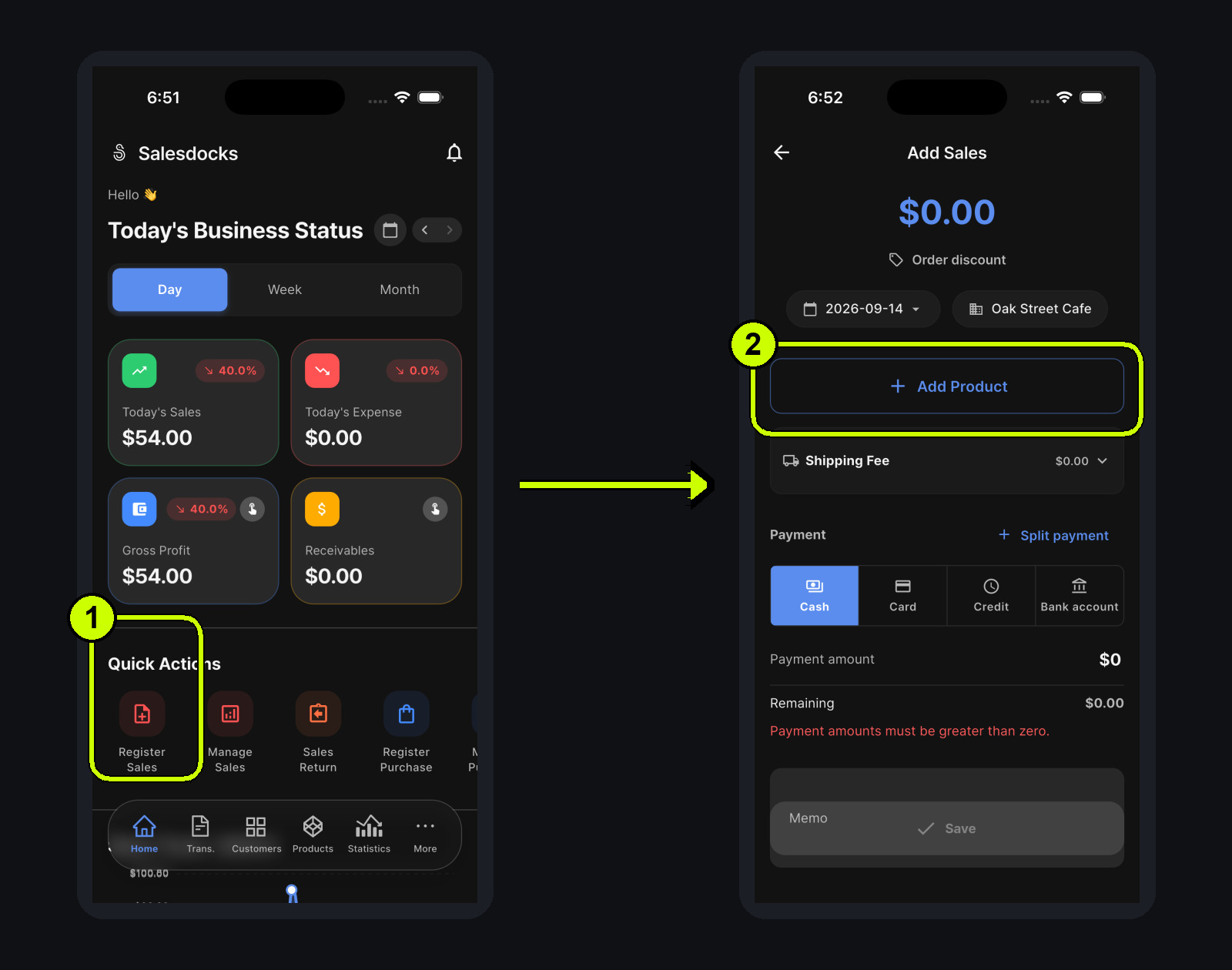
Start from Register Sales on Home, choose the customer and product, and save one transaction. Over time, that one action connects sales, purchases, and statistics.
The people who keep going set a kinder standard
The difference between someone who keeps a ledger perfectly and someone who keeps using one is often the standard they set for themselves. Start by recognizing the sales, purchases, and connected dates you are already recording.
Record one transaction today, then continue with the next one. For now, that is enough.